

If you want to download Spotify music for offline listening, you may have come across Sidify Spotify Music Converter. However, mixed user feedback on Trustpilot and other review platforms may leave you wondering: Does Sidify work as expected? Is its free trial worth trying? How well does it handle large playlists, and is it worth buying in 2026?
To find out, we tested Sidify Spotify Music Converter's free version and examined its conversion performance, output options, playlist handling, and limitations. Here's our quick verdict based on our testing and the user feedback we reviewed.
Sidify Spotify Music Converter Review: Quick Verdict
| Category | Our Verdict |
| Best for | Users who mainly convert individual tracks or smaller Spotify playlists |
| Less suitable for | Users who need to convert full-length tracks for free or frequently process large playlists |
| Main Pros | ✔ Supports multiple output formats, including MP3, AAC, FLAC, WAV, AIFF, and ALAC. ✔ Offers a straightforward conversion workflow. ✔ Supports both Spotify Free and Premium accounts, according to the developer. |
| Main Cons | ❌ The free trial converts only the first minute of each track. ❌ Large-batch conversion may require extra checks if some tracks fail. ❌ At $44.95 a year, it's on the expensive side if you only convert music now and then. |
| Final Take | Sidify offers useful conversion options, but its free trial is limited and batch reliability deserves consideration. Whether it's worth buying depends on your playlist size, budget, and expectations. |
Want to know how Sidify performed in our tests, what other users say about it, and whether an alternative might suit you better? Continue reading for a closer look at its features, pricing, real-world test results, and key limitations.
- What Is Sidify Spotify Music Converter?
- Is Sidify Spotify Music Converter Safe and Legal?
- Sidify Spotify Music Converter Pricing & Free Trial Limits
- Our Real Test of Sidify Spotify Music Converter
- What Do Users Say About Sidify? Real Trustpilot Reviews
- Looking for an Alternative to Sidify? Try TuneFab Spotify Music Converter 🔥
- FAQs About Sidify Spotify Music Converter
- Final Verdict: Is Sidify Spotify Music Converter Worth Buying?
What Is Sidify Spotify Music Converter?
Sidify Spotify Music Converter is a desktop app designed to convert Spotify tracks, albums, and playlists into common audio formats for local playback. It supports output formats such as MP3, AAC, FLAC, WAV, AIFF, and ALAC. According to the developer, the software supports both Spotify Free and Premium accounts. Its free trial, however, converts only the first minute of each track.
Sidify Spotify Music Converter: Key Specifications
- Supported OS: Windows 8, 10, and 11 (32-bit and 64-bit); macOS 11 or later
- Latest Version: V4.6.5 (October 30, 2026)
- Account Compatibility: Spotify Free and Premium, according to the developer
- Supported Content: Spotify songs, albums, playlists, podcasts, radio, and audiobooks
- Output Formats: MP3, AAC (.m4a), FLAC, WAV, AIFF, ALAC
Is Sidify Spotify Music Converter Safe and Legal?
Before using Sidify Spotify Music Converter, it's worth considering two separate questions: whether using the software complies with applicable laws and Spotify's terms, and whether the installer itself is safe to run.
Is Sidify Spotify Music Converter Legal?
The legality of using Sidify depends on your location, how the software works, and how you use the converted files. Personal use does not automatically make every conversion lawful or compliant with Spotify's Terms of Service. Distributing, reselling, or commercially using copyrighted music may create additional legal risks. Before using a third-party Spotify converter, check your local copyright laws and Spotify's current terms.
Is Sidify Spotify Music Converter Safe?
To reduce the risk of downloading a modified or counterfeit installer, get Sidify from its official website and avoid unofficial or cracked copies, which may contain malware or compromise personal information. However, downloading the official installer does not guarantee that the software is completely safe or eliminate potential account-related concerns. You should also review Spotify's current Terms of Service before using a third-party converter.
Sidify Spotify Music Converter Pricing & Free Trial Limits
Is Sidify Spotify Music Converter free? You can download the software and try it at no cost, but the trial converts only the first minute of each track. To convert full-length songs, you'll need to purchase and register a paid license. According to Sidify's official site, the trial is intended to let users test the software before upgrading.
Paid Plans and Pricing (Last Checked: Nov. 2026)
| Plan | Price | License & Updates |
| 1-Year Plan | $44.95/year | 1 PC; one year of updates; auto-renewal |
| Lifetime Plan | $89.90 one-time | 1 PC; lifetime use and updates |
Note: Prices and plan terms should be checked against Sidify's official checkout page before purchase. The annual plan is listed as auto-renewing, while the lifetime plan is a one-time payment.
What Can You Do With the Free Trial?
Sidify's trial lets you explore the interface and test short audio samples, but it does not provide full-length song conversions.
- One minute per track: Each trial conversion is limited to the first minute of a song.
- A paid license for full tracks: You must purchase and register a license to remove the trial's conversion-length limit.
- Test before upgrading: Try a few tracks and playlists to see whether the workflow and output settings meet your needs.
Our Real Test of Sidify Spotify Music Converter
We tested Sidify Spotify Music Converter's free version using individual tracks and large playlists. Our evaluation focused on the conversion workflow, processing time, playlist completion, output settings, and metadata retention. The results below reflect our recorded test runs and may differ on other devices or with the paid version.
Test Setup and Methodology
- Test Device: Windows 11 PC
- Test Samples: One track, a 100-track playlist, and a 200-track playlist
- Software Version: Sidify Spotify Music Converter free version
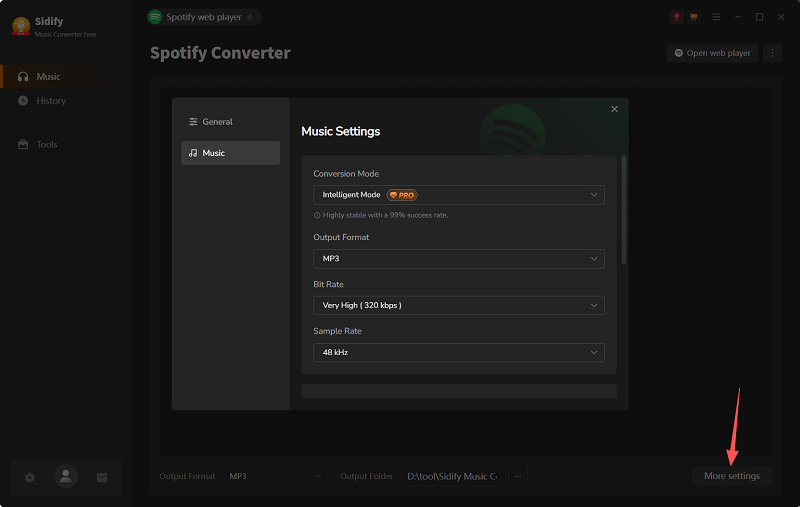
- Output Settings: MP3, 320 kbps, 48 kHz
- What We Evaluated: Conversion time, playlist completion, output settings, metadata retention, and workflow usability
Note: These results are based on our recorded test runs. Conversion performance may vary depending on system resources, network conditions, and other factors.
User Interface and First-Time Setup
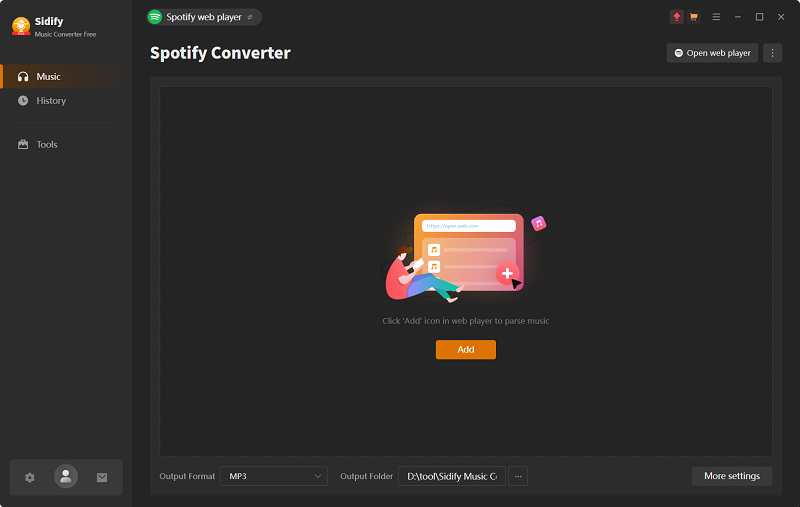
Sidify's layout is easy to follow: navigation sits on the left, and the right side is where you add and convert Spotify content. Its built-in Spotify web player lets users browse for tracks and playlists within the application, reducing the need to switch between separate windows during the conversion workflow.
Convert Spotify Tracks and Playlists with Sidify
Step 1. Open Sidify and launch the built-in Spotify web player.
Step 2. Click "More Settings" to choose the output format (MP3), bitrate (320 kbps), and sample rate (48 kHz).
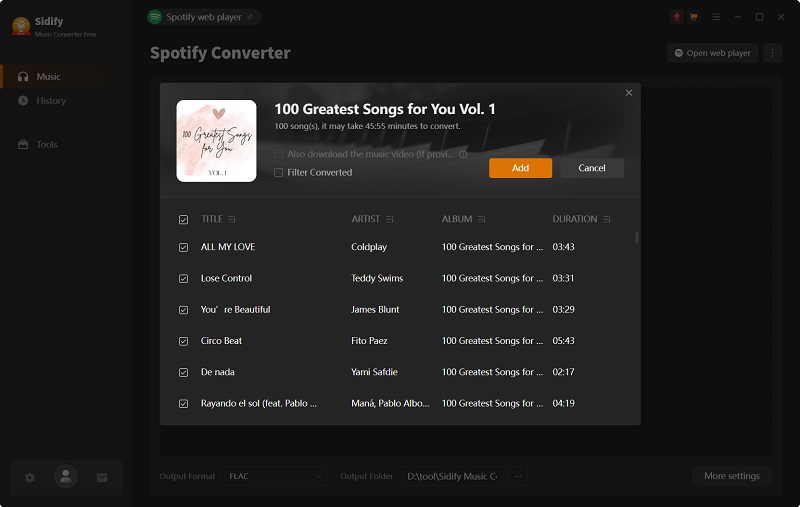
Step 3. Find a track or playlist in the built-in Spotify web player and click the floating "+" icon to load its music information. Then select the tracks you want to convert.
Step 4. Start the conversion and wait for the selected tracks to finish processing.
Conversion Speed and Playlist Stability
Our recorded results showed a clear difference between converting a single track and processing a large playlist.
| Test Sample | Recorded Time | Result |
| One track (3:41, one-minute trial clip) | About 20 seconds | Conversion completed |
| 100-track playlist | About 53 minutes | 9 tracks failed |
| 200-track playlist | About 2 hours | Approximately 70% success rate |
Because the trial only converts the first minute of each song, our 3-minute, 41-second test track came out as a one-minute clip, and that took about 20 seconds. Larger playlists were less consistent: 9 tracks failed in the 100-track test, while the 200-track playlist had an approximate success rate of 70%.
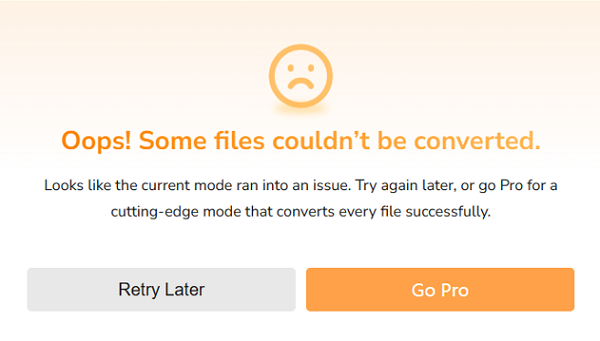
During a separate attempt to process the larger playlist, Sidify displayed the error message "Oops! Some files couldn't be converted". After we restarted the software, playlist analysis took roughly 6 seconds, but the subsequent conversion process was still slow.
These results suggest that users converting individual tracks or smaller selections may have a smoother experience than those processing large playlists. If you regularly manage hundreds of songs, allow extra time to check failed tracks and retry conversions. Our findings apply to the tested free version and do not establish how every paid-version setup will perform.
Output Quality, Formats, and Metadata
In our test, we selected MP3 at 320 kbps and checked the resulting files and their metadata. The files we examined retained track titles, artist names, and album artwork. However, this does not guarantee that every track will retain all metadata or that the converted audio will be identical to the original Spotify stream.
It's also important to distinguish output settings from verified audio quality. Selecting a high bitrate or a lossless file format does not, by itself, prove that the converted file retains the source audio's original quality. We therefore do not claim that Sidify delivers lossless audio fidelity based solely on its available format options.
What Do Users Say About Sidify? Real Trustpilot Reviews
Sidify's overall Trustpilot rating reflects feedback on the brand and its various products, not just Sidify Spotify Music Converter. Because reviews are self-selected and vary in detail and recency, they should be treated as individual user experiences rather than independently verified evidence of product performance.
What Users Like
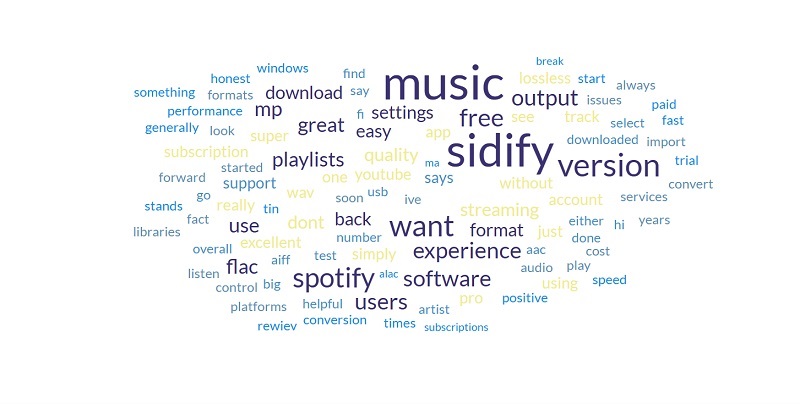
In the Spotify-conversion reviews we examined, positive comments focused on:
- Ease of use: A straightforward interface and simple conversion workflow.
- Output options: Support for formats such as MP3 and FLAC.
- Audio and metadata: Some reviewers were satisfied with the output and reported retaining track information or album artwork.
- Individual tracks and small playlists: Some users described these conversions as relatively quick.
Common Complaints
Among the negative comments we examined, users raised concerns about:
- Batch conversion: Some reviewers reported failed conversions, crashes, or problems processing large playlists.
- Customer support: Some described delays in getting help with connection or software-update issues.
- Account safety: Some users expressed concern about potential account risks when using third-party Spotify converters.
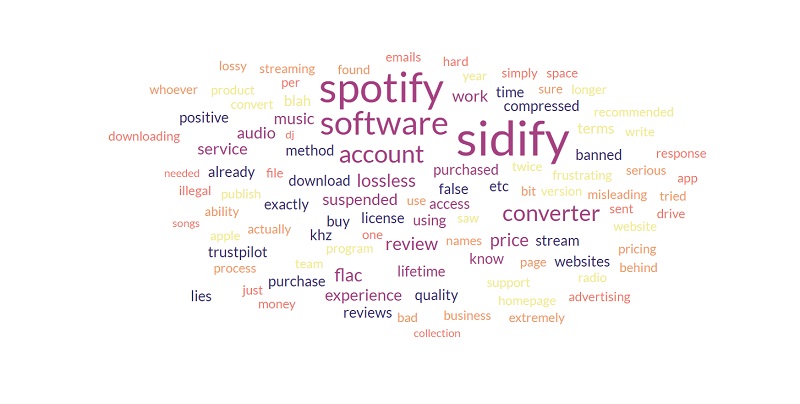
These reports provide context for our own free-version tests, in which some tracks failed during large-playlist conversion. However, user reviews alone cannot establish how frequently these problems occur or prove that the software causes Spotify account suspensions.
Looking for an Alternative to Sidify? Try TuneFab Spotify Music Converter 🔥
Sidify Spotify Music Converter offers multiple output formats and customizable settings, but our tests of its free version revealed some difficulties with large playlists. If you want to test full-length track conversions before purchasing or use one application to convert music from multiple supported platforms, TuneFab Spotify Music Converter is worth considering.
Unlike Sidify's trial, which converts only the first minute of each track, TuneFab's free version allows users to convert up to three full tracks per supported music platform. This makes it easier to test full-length conversions and review the resulting files before buying. TuneFab also brings supported music services and conversion features together in one application, so users who listen across multiple platforms may not need a separate converter for each service.
Sidify vs. TuneFab: Free Trial Comparison
| Feature | Sidify Spotify Music Converter | TuneFab Spotify Music Converter |
| Conversion Limit | First minute of each track | 3 full tracks per supported platform |
| Output Formats | MP3, AAC, FLAC, WAV, AIFF, ALAC | 6 formats, including MP3, M4A, WAV, FLAC, and AIFF |
| Platform Coverage | Spotify | Multiple supported music platforms |
| Best For | Testing short audio samples | Testing full-length tracks before purchase |
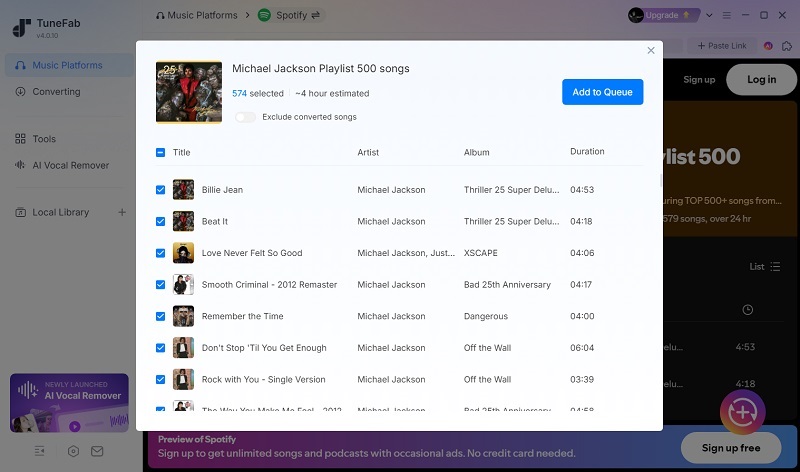
If you use more than one music streaming service, TuneFab's multi-platform trial lets you test conversions across supported services before choosing a paid plan. Check the official product pages for current platform support, trial limits, and license terms. For a closer look at the Spotify converter, read our TuneFab Spotify Music Converter hands-on review.
*TuneFab isn't free either: after the three-track trial, you need a paid plan, starting at $25.95 a month or $99.95 for a lifetime license.
FAQs About Sidify Spotify Music Converter
Can Spotify detect Sidify and suspend my account?
It is not possible to determine from user reviews alone whether Spotify detects a specific third-party converter or suspends accounts because of its use. Reports on Trustpilot or Reddit may reflect individual experiences, but they do not establish a direct cause-and-effect relationship. Using third-party conversion software may raise questions about compliance with Spotify's Terms of Service, so review the current terms and understand the potential risks before proceeding.
Does Sidify work with Spotify free accounts?
According to the developer, Sidify supports both Spotify Free and Premium accounts. However, its free trial converts only the first minute of each track. A paid Sidify license is required to remove that trial restriction. This does not change Spotify's subscription terms.
Is Sidify Spotify Music Converter still working?
According to our latest tests in Nov. 2026, Sidify completed individual-track conversions, although some tracks failed during large-playlist tests. Performance may vary with software updates, network conditions, and other factors. If you encounter problems, check your internet connection, available storage, and whether an updated version is available.
Final Verdict: Is Sidify Spotify Music Converter Worth Buying?
Sidify Spotify Music Converter offers multiple output formats, customizable settings, and a straightforward conversion workflow. However, some tracks failed in our tests of the free version, and the one-minute-per-track trial limit makes it difficult to evaluate full-length conversions before purchasing.
Whether Sidify is worth buying depends on your needs. If you mainly convert individual tracks or smaller playlists, it may be worth considering. If you want to test full-length conversions across multiple supported music platforms before committing, TuneFab Spotify Music Converter offers a different approach, with up to three full-track conversions per supported platform in its free version. Compare the trial limits, platform support, and current prices before deciding.