

Finding a reliable YouTube Music downloader online is harder than most websites make it seem. Many tools that look clean in a screenshot often fail the moment you paste a real playlist URL, or worse, redirect you through a chain of ad pages instead of delivering a file.
In September 2026, we tested seven popular online YouTube Music downloaders with three single tracks, one podcast episode, one 59-track playlist, one 17-episode podcast series, and one album on the same MacBook Air, Safari browser, and 26 Mbps Wi-Fi connection. We ran two attempts per sample and counted a result as successful only when the final audio file downloaded and opened locally; URL parsing alone did not count as a completed download.
- Before Using a YouTube Music Downloader
- Quick Picks
- How We Tested These Online YouTube Music Downloaders
- Detailed Test Results: 7 Online YouTube Music Downloaders
- Desktop Alternative: TuneFab YouTube Music Converter
- How to Choose the Best Online YouTube Downloader
- Which YouTube Music Downloader Should You Choose
- Final Verdict
Before Using a YouTube Music Downloader
Before using any third-party YouTube Music downloader, it's important to understand the difference between YouTube Music's official offline feature and downloading content as a local audio file.
YouTube Music officially supports offline downloads through its app. According to the YouTube Music Help Center (checked September, 2026), Premium members can download supported songs, playlists, albums, and podcasts for offline listening within the YouTube Music app. These downloads are tied to the YouTube Music experience rather than being provided as unrestricted local audio files.
Third-party downloaders work differently. YouTube's Terms of Service (checked September, 2026) state that users may not download, reproduce, distribute, or otherwise use content except where the service expressly authorizes it or where the necessary permission has been obtained from YouTube and, where applicable, the relevant rights holders.
Before downloading any content, make sure you have the necessary rights or permission to use it, and check the latest YouTube Terms and applicable copyright laws in your location. This article is for informational purposes only and does not provide legal advice.
Quick Picks
If you're looking for a quick way to narrow down your options, the table below summarizes how each downloader performed in our tests, what it's best suited for, and the main limitations to keep in mind. Once you've found a tool that fits your needs, scroll down for detailed test results and hands-on impressions.
| Tool | Best For | Final Completion Rate | Limitations |
| TuneFab Online YouTube Music Downloader | Individual tracks and larger playlist or album | 7/7 | Registration and sign-in required; the free plan has limits on the number of tracks that can be downloaded from albums and on audio quality |
| OFA Downloader | Free zip downloads, multiple formats | 7/7 | Playlist downloads can be slow; without Supporter access, each ZIP output is limited to 10 songs from a playlist at a time and 192 kbps |
| Y2Mate | Individual tracks across devices | 4/7 | Supports only individual tracks and podcast episodes |
| EzConv | Individual tracks and podcasts without intrusive redirects | 4/7 | Supports only individual tracks and podcast episodes; no metadata retention; free audio quality is limited to 128 kbps |
| CNVMP3 | Ad-free downloads of individual tracks and podcasts | 3/7 | Supports only individual tracks and podcast episodes; only partial metadata is retained |
| YTMP3 | Occasional single-track downloads | 2/7 | Supports only individual tracks and podcast episodes; limited metadata retention; frequent ads and redirects |
⚠️ Failed in our test: FastConverter — parsed 7/7 links, but final download completion was 0/7. Not recommended for any download task.
How We Tested These Online YouTube Music Downloaders
| Testing Environment | Device: MacBook Air Chip: Apple M4 OS: macOS Tahoe 26.0.1 Browser: Safari Internet connection: 26 Mbps Wi-Fi |
| Evaluation List | Link parsing Interface Final download completion (A download counted as successful only when the final audio file was successfully downloaded and could be opened locally. Parsing a URL without obtaining the final file did not count as a successful download.) Playlist and batch support Output formats Metadata fields Ads and redirects Account requirements Free/paid limitations |
| Sample ID | Test Type | Description |
| S1 | Single track | Track 1-Map |
| S2 | Single track | Track 2-It was always you |
| S3 | Single track | Track 3-Sugar |
| S4 | Podcast | Single podcast episode-The Self Improvement Podcast |
| S5 | Playlist | 59-track playlist-Culture tubes |
| S6 | Podcast series | 17-episode series-Harry Potter: The Official Film Podcast |
| S7 | Album | Full album-V |
Detailed Test Results: 7 Online YouTube Music Downloaders
1. TuneFab Online YouTube Music Downloader
Best suited for: Users who want a browser-based workflow for individual tracks and larger playlist or album tasks.
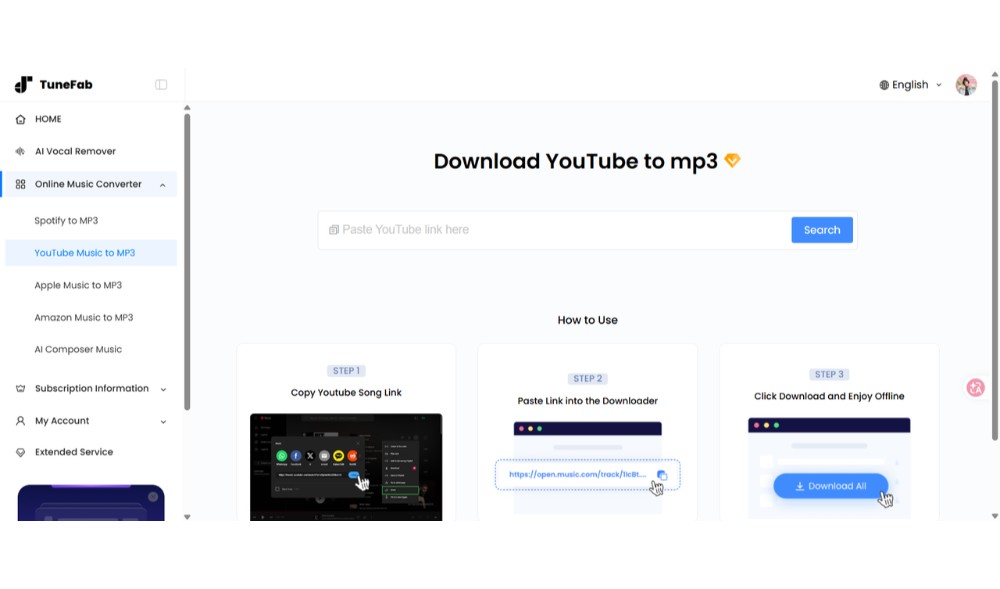
Test snapshot
| Test date | September 2026 |
| Attempt | 2 |
| Account required | Yes (registration + login) |
| Final download completion | 7/7 |
| Batch Download Support | ✅ Playlists, albums, podcast episodes |
| Metadata | Title, artist, album name, and album artwork |
| Ads/redirects | None observed in the tested flow |
| Output formats | MP3 |
| Output bitrate | Up to 128 kbps for free users; up to 320 kbps for paid users |
Our Test Results
TuneFab Online YouTube Music Downloader was the most consistent browser-based tool in our test, especially for tasks beyond single-track downloads. We first tested the tool with a free TuneFab account. It successfully parsed all seven test items. Single tracks could be downloaded directly, while playlists and albums were subject to limitations: the free account could only download the first track from each list, and the maximum selectable bitrate was 128 kbps.
We then repeated the tests after upgrading to a paid plan. This time, all tested content, including podcasts, could be downloaded in batch with a single click. The available output bitrate also increased to up to 320 kbps. Throughout both the free and paid tests, we did not encounter pop-up windows or redirects to advertising pages.
After the downloads were completed, we inspected the exported files from our sample check. The files preserved the title, artist, album name, and album artwork. The audio file properties reported a bitrate of 320 kbps for the tested samples. However, we did not independently measure the encoding bitrate or assess the source audio quality, so we did not verify whether the output quality was affected.
Things to Consider
- Requires registration and login.
- To access the full range of features without the free-plan limitations, you need to upgrade to a paid plan.
2. OFA Downloader
Best suited for: Users who want multiple output formats and don't mind ZIP downloads.
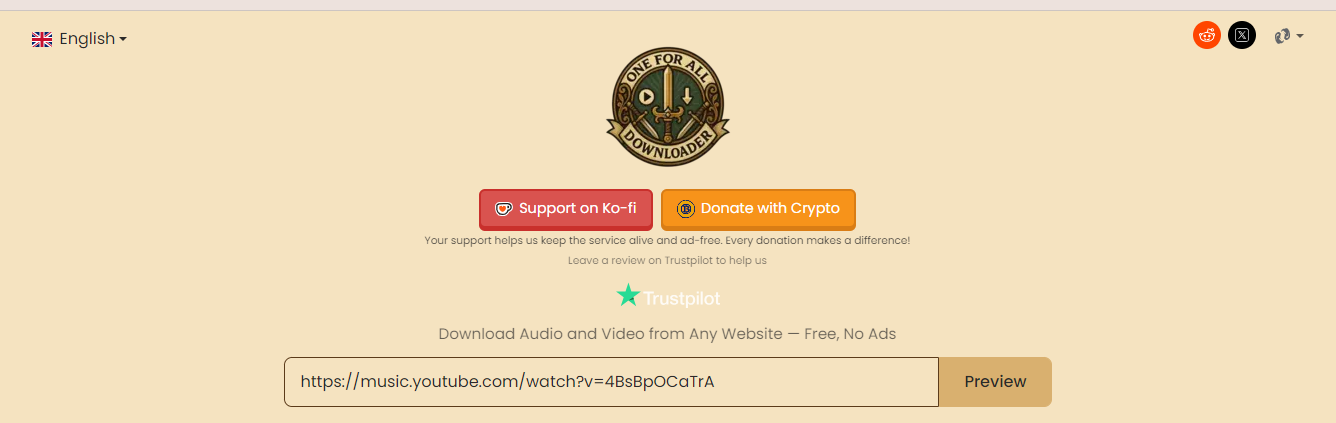
Test snapshot
| Test date | September 2026 |
| Account required | No |
| Attempt | 2 |
| Final download completion | 7/7 |
| Batch Download Support | ✅ Playlists, albums, podcast episodes via ZIP |
| Metadata | Title, artist, album name, and album artwork |
| Ads/redirects | None observed in the tested flow |
| Output formats | MP3, M4A, OPUS, WAV, FLAC |
| Output bitrate | Up to 320 kbps for free single-track downloads; up to 192 kbps for free album and playlist downloads; up to 320 kbps with a paid plan |
Our Test Results
OFA Downloader supports the widest range of output formats among the free tools we tested, including MP3, M4A, OPUS, WAV, and FLAC. It does not require registration or login, and it has a clean interface, with no intrusive pop-ups or hidden download buttons observed during our testing.
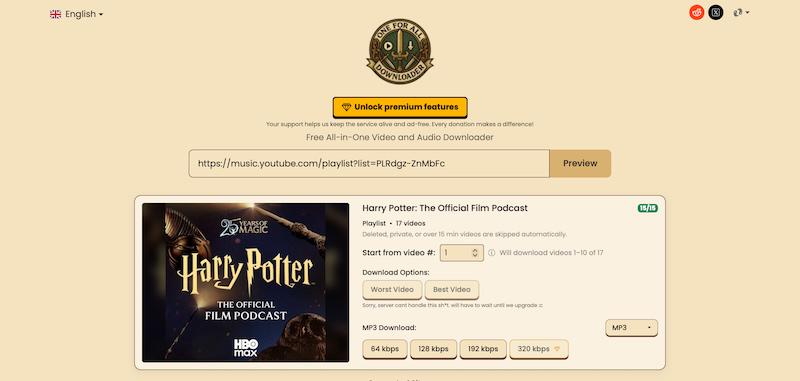
OFA Downloader can handle both single tracks and playlists. For playlists, albums, and multi-episode podcasts, OFA Downloader generates a temporary ZIP file containing the downloaded content. Each ZIP file remains available for 15 minutes. After that, the link expires and the content needs to be parsed again.
Users without a Supporter subscription could include up to 10 songs in a ZIP file at a time. For playlists and albums, the maximum selectable output bitrate was 192 kbps (select up to 320 kbps for individual tracks). Becoming a Supporter unlocks additional premium features, including the ability to generate ZIP files containing up to 100 songs at once and select 320 kbps output for playlists.
We inspected the exported audio files and found that the bitrate reported in the file properties for both individual tracks and playlist tracks extracted from ZIP files was consistent with the output settings selected on the platform. However, we did not independently measure the actual encoding bitrate or assess the source audio quality. The downloaded files retained title, artist, album name, and album artwork.
Things to Consider
- Playlist and album downloads can be slow, especially when processing content with a large number of tracks.
- Some features require Supporter access, including larger ZIP batches and higher bitrate options for playlists and albums.
3. Y2Mate
Best suited for: Users who want free browser-based downloads of individual tracks or podcast episodes and do not need playlist, album, or batch support.
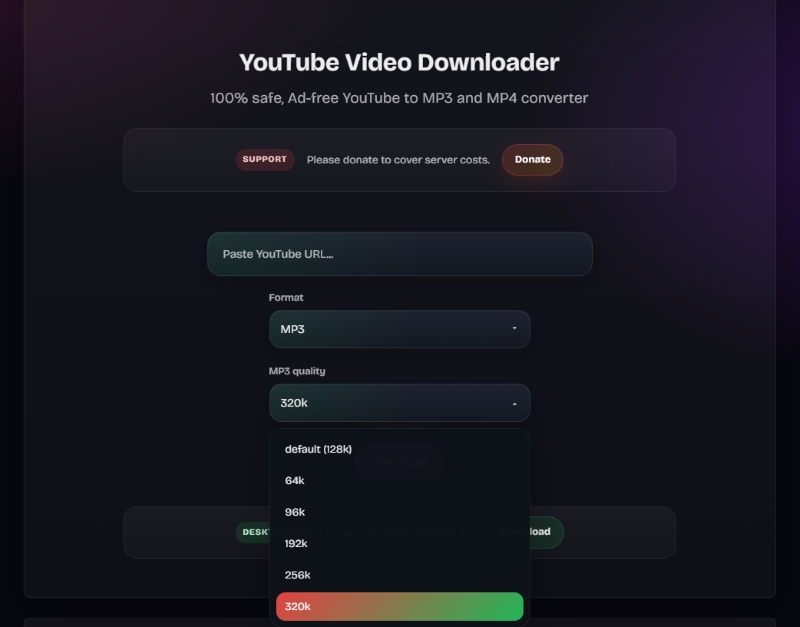
Test snapshot
| Test date | September 2026 |
| Account required | No |
| Attempt | 2 |
| Final download completion | 4/7 (S1-4) |
| Batch Download Support | ❌ |
| Metadata | Title, artist, album name, and album artwork |
| Ads/redirects | Pasting playlist or album URLs triggers page redirects |
| Output formats | MP3 |
| Output bitrate | Up to 320 kbps |
Our Test Results
Y2Mate worked reliably for single-track downloads in our test. We did not encounter pop-up ads during the tested download flow, and the interface was easy to use, with no unnecessary buttons or options.
However, Y2Mate could not process playlist or album URLs during our testing. When we pasted one of these URLs, the page displayed a prompt recommending its desktop software and then redirected us to the software download page. Multi-episode podcast URLs were also not supported. Individual podcast episodes took relatively longer to load initially, but they could still be downloaded successfully afterward.
The platform supports multiple audio quality options ranging from 64 kbps to 320 kbps. Both the conversion and download processes were fast for the successfully completed single-track tests. After downloading, we checked the exported files and found that the title, artist, album name, and album artwork were retained. In addition, the bitrates reported in the exported file properties matched the output settings selected on the platform.

Things to Consider
- No batch downloading for playlists, albums, or multi-episode podcasts.
- Playlist and album URLs trigger a redirect to the desktop software download page instead of being processed online.
4. EzConv
Best suited for: Users who want straightforward downloads of individual tracks and podcast episodes without intrusive redirects.

Test snapshot
| Test date | September 2026 |
| Account required | No |
| Attempt | 2 |
| Final download completion | 4/7 (S1-4) |
| Batch Download Support | ❌ |
| Metadata | ❌ |
| Ads/redirects | None observed in the tested flow |
| Output formats | MP3 / M4A; WAV for paid users |
| Output bitrate | Up to 128 kbps for free users; up to 320 kbps for paid users |
Our Test Results
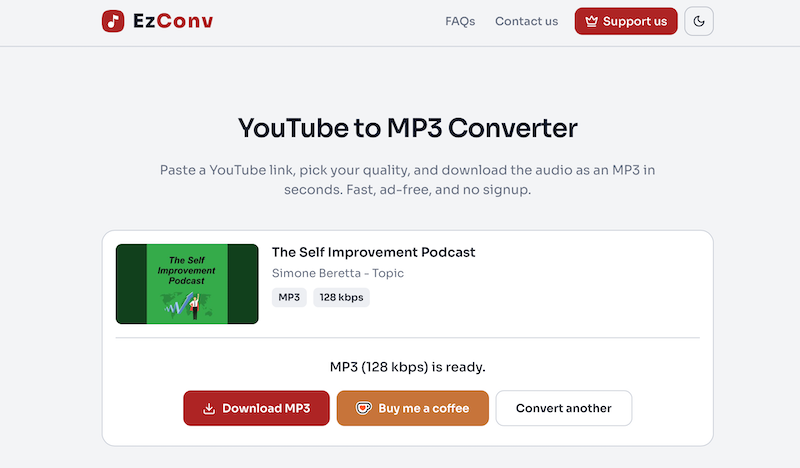
EzConv (formerly EzMP3) was one of the cleaner free tools in our test. It requires no registration or login, and the interface is straightforward. During our testing, both single-track and long podcast episode downloads processed smoothly, with no unrelated ads or misleading redirects triggered when we clicked the "Convert" and "Download MP3" button. However, it cannot parse links to playlists, albums, or multi-episode podcasts.
The platform offers five audio quality options, ranging from 64 kbps to 320 kbps, but free users can only select up to 128 kbps. Becoming a Supporter unlocks additional features, including faster conversion speeds, support for longer audio, and up to 320 kbps output.
Like Y2Mate, EzConv only supports single-track and individual podcast episode links. It does not support playlists, albums, or batch downloads. After downloading the files, we checked the exported audio and found that metadata was not preserved. We tested EzConv using its free access. The exported individual tracks and podcast episode both reported a bitrate of 128 kbps in their file properties.
Things to Consider
- No playlist, album, or batch downloading support.
- Does not preserve metadata.
- Some advanced features require a paid Supporter plan.
5. CNVMP3
Best suited for: Users who want a simple, ad-free way to download individual tracks and podcast episodes as MP3 files.
Test snapshot
| Test date | September 2026 |
| Account required | No |
| Attempt | 2 |
| Final download completion | 3/7 (S1, 3, 4) |
| Batch Download Support | ❌ |
| Metadata | Artist and track title only |
| Ads/redirects | None observed in the tested flow |
| Output formats | MP3 |
| Output bitrate | Up to 320 kbps |
Our Test Results
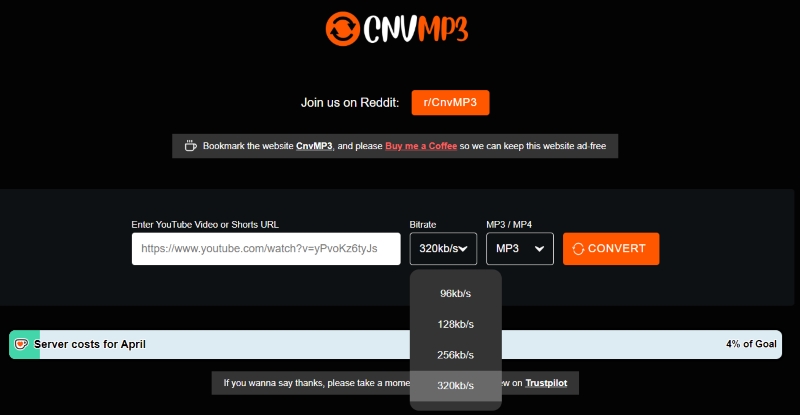
CNVMP3 offered a fast and simple YouTube Music conversion flow in our test, with no registration or login required. The platform was ad-free throughout our testing, and we did not encounter any pop-ups or hidden download buttons. The available audio quality options ranged from 96 kbps to 320 kbps.
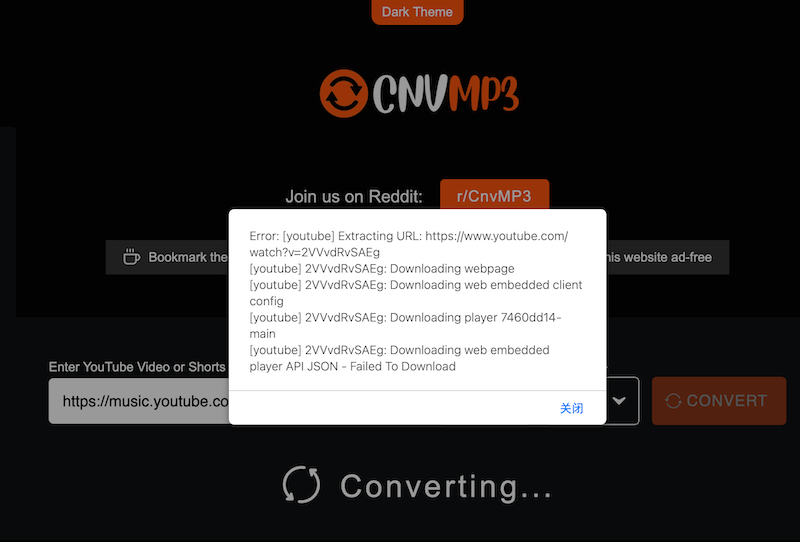
In our test, CNVMP3 successfully parsed and downloaded most individual tracks and podcast episodes, and the successful downloads typically finished within one minute. However, when we pasted the link for Track 2, an error message appeared, and repeated attempts did not result in a successful download. Playlist and album links also returned error messages.
When we inspected the exported audio files, we found that the three successfully downloaded items retained only the artist and track title metadata. The file properties of all three exported files reported a bitrate of 128 kbps.
Things to Consider
- No support for playlist, album, or multi-episode podcast links.
- Some individual tracks may fail to download despite repeated attempts.
- Only artist and track title metadata were retained in our sample check.
6. YTMP3
Best suited for: Users who need occasional MP3 downloads of individual tracks or podcast episodes.
Test snapshot
| Test date | September 2026 |
| Account required | No |
| Attempt | 2 |
| Final download completion | 2/7 (S1, 4) |
| Batch Download Support | ❌ |
| Metadata | Artist and track title only |
| Ads/redirects | Yes |
| Output formats | MP3 |
| Output bitrate | Up to 320 kbps |
Our Test Results
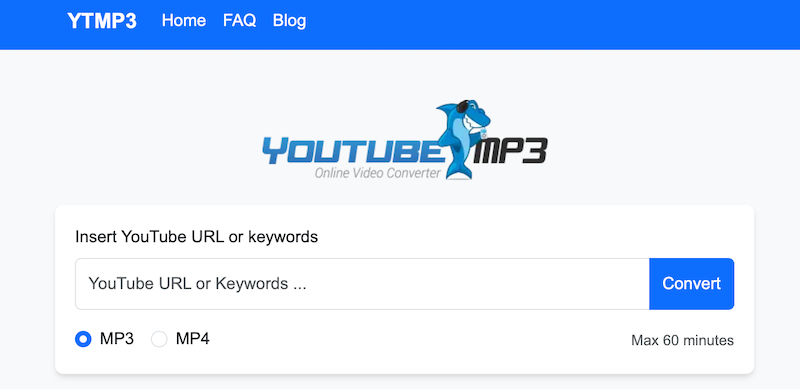
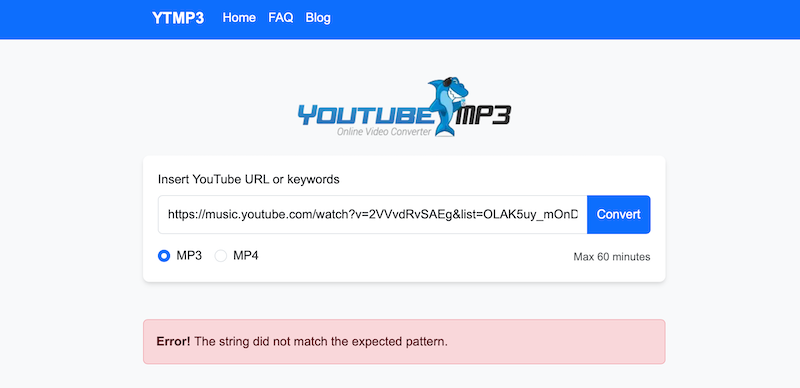
YTMP3 is a free, no-registration online converter with a very simple interface. The page provides a single field for pasting a URL, an MP3/MP4 format selector, and a Convert button. Although we did not see pop-up ads on the homepage, we encountered unexpected redirects throughout the testing process.
In our test, only one individual track and the single-episode podcast could be successfully parsed and downloaded. Samples 5, 6, and 7 were reported as invalid URLs, while Samples 2 and 3 failed during parsing with the error message, "Error! The string did not match the expected pattern."
YTMP3 supports MP3 output with multiple bitrate options ranging from 128 kbps to 320 kbps. We selected 320 kbps during testing, and the exported file reported a bitrate of 320 kbps in its file properties. However, the downloaded files only retained limited metadata, specifically the artist and track title.
Things to Consider
- Unexpected redirects were observed during the tested flow.
- Unable to parse playlists, albums, or multi-episode podcast links.
- Only limited metadata (artist and track title) is retained.
7. Failed in Our Test: FastConverter

Test snapshot
| Test date | September 2026 |
| Account required | No |
| Attempt | 2 |
| Final download completion | 0/7 |
| Batch Download Support | ❌ |
| Metadata | ❌ |
| Ads/redirects | Yes |
| Output formats | / |
| Output bitrate | / |
What We Found
FastConverter is an online YouTube downloader with a built-in YouTube-to-MP3 conversion feature. In our test, it successfully parsed all seven test links. For playlist and album URLs, the tool generated ZIP files after parsing, but downloading these ZIP files required a paid membership.
However, none of the seven tested links could be downloaded successfully. Throughout the test, interactions on the page frequently triggered unwanted redirects to advertisements for various products, preventing us from obtaining the actual audio files. As a result, we could not verify the exported files' metadata, output formats, or other file-level properties.

Things to Consider
- Playlist and album downloads require a paid membership to download the generated ZIP files.
- Frequent redirects were encountered during the testing process.
- Although all seven test links could be parsed, none completed the final download successfully in our test.
Desktop Alternative: TuneFab YouTube Music Converter
As our test results show, online YouTube Music downloaders can be convenient for quick, browser-based downloads, especially when you only need to process a few individual tracks or do not want to install additional software. However, the seven online tools we tested also came with various limitations, including playlist restrictions, bitrate limits, incomplete metadata, download failures, redirects, or paid feature restrictions.
If you regularly download larger music collections or want fewer of these limitations, switching from an online tool to desktop software may be worth considering. A desktop converter provides a dedicated environment for managing downloads instead of relying on a browser-based service that may have changing limits, redirects, or availability. For this type of workflow, TuneFab YouTube Music Converter is a desktop alternative to the seven browser-based tools tested above.
As a desktop application, TuneFab provides:
- Batch downloading for larger music collections
- Support for playlists and albums
- Multiple output formats and audio quality options
- A dedicated desktop interface instead of a browser-based workflow
- More control over the conversion and download process
If you're interested in a desktop-based approach, you can learn more about its features, supported formats, pricing, and our hands-on testing in our TuneFab YouTube Music Converter review.
How to Choose the Best Online YouTube Downloader
Choosing the best online YouTube downloader is not about having the most features, but about how reliably it works in real use. You can evaluate it from several key aspects:
- Download success rate: A good tool should smoothly handle the entire process from link parsing to generating a downloadable file. Tools that frequently redirect to ads or fail during conversion are generally not reliable, regardless of their feature set.
- Parsing capability: Check whether the tool can properly handle different types of links, such as single tracks, playlists, albums, and podcast episodes. Many tools claim playlist support but fail in real testing.
- Speed and stability: A good downloader should complete conversions within a reasonable timeframe while maintaining consistent performance, without freezing or requiring repeated attempts.
- Audio quality and output formats: Selectable bitrates such as 128, 192, and 320 kbps, along with formats like MP3 or M4A, can make a tool more flexible, but a selected bitrate or file-property value does not by itself verify the source audio quality or the actual encoding quality.
- Ads and user experience: Tools with minimal or non-intrusive ads, no misleading download buttons, and a clean interface tend to provide a more reliable experience overall.
- Metadata support: If you care about music organization, check exactly which fields each downloader retained in the tested files, such as title, artist, album name, and artwork, because some tools preserved only part of this information.
Which YouTube Music Downloader Should You Choose
| Final Completion | Playlist / Album | Formats | Metadata | Ads / Redirects | Free Limits | |
| TuneFab Online | 7/7 | Yes | MP3 | Title, artist, album, artwork | None observed | Playlists/albums limited on free plan; up to 128 kbps |
| OFA Downloader | 7/7 | Yes (ZIP) | MP3, M4A, OPUS, WAV, FLAC | Title, artist, album, artwork | None observed | ZIP limited to 10 songs; playlist/album bitrate up to 192 kbps |
| Y2Mate | 4/7 | No | MP3 | Title, artist, album, artwork | Pasting playlist or album URLs triggers page redirects | Free |
| EzConv | 4/7 | No | MP3, M4A, WAV | Not preserved | None observed | Up to 128 kbps; advanced features require Supporter access |
| CNVMP3 | 3/7 | No | MP3 | Artist and track title only | None observed | Free |
| YTMP3 | 2/7 | No | MP3 | Artist and track title only | Frequent ads and redirects | Free |
| FastConverter | 0/7 ⚠️ | Yes (ZIP) | Not verified | Not verified | Frequent ads and redirects | Playlist and album ZIP downloads require a paid membership |
If your priority is reliable playlist or album downloading, TuneFab Online was the strongest performer in our test. If you want more format choices without registering, OFA Downloader offers the broadest selection. For occasional single-track downloads, Y2Mate or EzConv may be more suitable, depending on whether you prioritize free downloads or a simpler interface.
Final Verdict
As the test results show, no single YouTube Music downloader performs perfectly across all use cases. The best choice depends less on feature lists and more on real-world needs.
TuneFab Online YouTube Music Downloader stood out because it handled more download scenarios than most browser-based tools in our test. It performed more consistently with playlists and albums than most browser-based tools we tested. If you only need occasional single-track or podcast-episode downloads, Y2Mate or EzConv may fit that narrower task, but both completed only 4 of 7 test cases, did not support playlist or album downloads, and should be considered only after confirming the current destination and limits.