

If you're looking for a Spotify to MP3 converter online, you'll find plenty of tools that promise quick and easy downloads. But how well do they actually work? Some handle individual tracks with no trouble but struggle with playlists, while others advertise high bitrates or free downloads that come with limitations.
To find out which ones actually work, we tested 9 popular online Spotify to MP3 converters using the same Spotify tracks and playlists. We looked at whether downloads actually worked, how well each tool handled playlists, and whether the downloaded files matched the advertised bitrate. We also noted practical drawbacks, including download limits, sign-in requirements, verification steps, ads, redirects, and unexpected payment prompts.
- 9 Online Spotify to MP3 Converters at a Glance
- How We Tested These Online Spotify-to-MP3 Tools
- 6 Best Online Spotify to MP3 Converters
- 3 Online Spotify Converters That Failed Our Test
- Spotify to MP3 Converter: Online vs. Desktop
- How to Choose the Right Online Spotify to MP3 Converter
- FAQs About Spotify to MP3 Converters Online
- Final Verdict
9 Online Spotify to MP3 Converters at a Glance
Use the table below to quickly compare the tested tools and identify the ones you may want to explore further. Usable options are listed first, followed by tools that had significant limitations, failed our tests, or were unavailable during testing.
Note: Measured bitrate refers to the encoding bitrate of the downloaded file and does not verify the quality or bitrate of the original source audio.
| Tool | Status | Best for | Track test (downloaded) | Playlist test (downloaded) | Free / paid access | Bitrate: advertised / measured | Main limitation |
| TuneFab Online Spotify Downloader | 🟢 | Paid 320kbps tracks and playlist downloads | 20/20 | Playlist 1: 10/10 Playlist 2: 50/50 10 tracks/batch |
· Free: 2 tracks at 128kbps · Paid: playlists and 320kbps |
320 / 320kbps | Login and payment required for unlimited use. |
| Spotify-downloader | 🟢 | free 128kbps tracks and playlist downloads | 20/20 | Playlist 1: 10/10 (ZIP) Playlist 2: 50/50 (ZIP) |
Free | 320 / ~128kbps | · Cloudflare verification required. · Measured bitrate did not match the site claim. |
| SpotiSongDownloader | 🟢 | 1–2 free 320kbps tracks downloads | 20/20 | Playlist 1: 2/10 (ZIP) Playlist 2: 2/50 (ZIP) |
· Single tracks are free · Playlist ZIP limited to 2 tracks |
320 / 320kbps | · Cloudflare verification required. · ZIP included an extra HTML file · Payment required for full playlist download |
| Spowload | 🟢 | Free 320kbps single-track option | 20/20 | No free download | · Single tracks are free · Playlists require Premium |
— / 320kbps | · Slow and inconsistent response. · Pop-ups appeared and the download required several clicks. · Payment required for full playlist download. |
| SpotifyMate | 🟡 | Up to 5 free playlist tracks download | 20/20 | Playlist 1: 5/10 Playlist 2: 5/50 |
· Single tracks are free · Up to 5 tracks per playlist · Premium required beyond 5 tracks |
320 / 320kbps | · Cloudflare verification required. · Many unrelated tabs and redirect. · Payment required for full playlist download. |
| SPOTISAVER | 🟠 | Free tracks without ads and a backup option for playlist | 20/20 | Playlist 1: 0/10 Playlist 2: 0/50 No download slots are available during testing |
· Single tracks are free · Playlist downloads are more likely to succeed with a Premium plan. |
320 / 320kbps | Under the free plan, playlist downloads often failed because no download slots were available. |
| Downloaderize | 🔴 | Not recommended | No free download | No free download | Downloads of tracks and playlists require Premium | — / Not measured | Advertised as free, but the download flow was token-gated. |
| SpotiDown.Online | 🔴 | Not working | 0/0 | Playlist 1: 0/10 Playlist 2: 0/50 |
No working download flow reached | — / Not measured | All tested track and playlist links failed. |
| KeepVid Spotify Converter | 🔴 | Not working | 0/0 | Playlist 1: 0/10 Playlist 2: 0/50 |
No working download flow reached | — / Not measured | All pasted track and playlist links returned "Please paste a valid link". |
How We Tested These Online Spotify-to-MP3 Tools
To keep the comparison consistent, we tested all nine tools with the same set of Spotify links on one device and report only what we observed under those conditions.
Test Setup
| Test item | Details |
| Test date | October 7, 2026 |
| Operating System | Windows 10 |
| Processor | Intel Core i7-8550U |
| Device | Windows laptop |
| Browser | Chrome |
| Spotify tracks | 20 tracks |
| Short playlists | 1 playlist with 10 tracks each |
| Long playlists | 1 playlist with 50 tracks each |
| Network | The same Wi-Fi connection throughout the tests |
What We Checked
For each tool, we checked:
- Download success: Whether the requested audio file was successfully saved, opened normally, and matched the intended Spotify track, rather than merely recognizing the link.
- File inspection: We used the file properties to inspect the downloaded files' bitrate, ID3 tags, and duration, while a local media player was used to verify playback.
- Playlist handling: Whether the 10- and 50-track playlists could be downloaded in full, in limited batches, as ZIP files, one by one, or only after upgrading.
- Free-use limits: Login, verification, credits, track caps, and paid restrictions.
- Ads and redirects: Pop-ups, donation prompts, unrelated pages, and product redirects.
Important:
These tools may use Spotify links to identify track metadata and match audio from another source. We measured the downloaded file's encoding bitrate, not its original audio source. A file measured at 320kbps therefore does not prove that it came directly from Spotify or contained equivalent source-audio quality.
6 Best Online Spotify to MP3 Converters
#1 TuneFab Online Spotify Downloader
Best for: 320kbps paid playlist downloads
In our test, TuneFab Online Spotify Downloader successfully downloaded all 20 individual tracks and both playlist samples. The interface was clean and easy to navigate, and we didn't encounter any ads or unrelated redirects. However, you need to sign in to the TuneFab Member Center before you can use the tool.
The free plan allows you to download two tracks at 128kbps. With a paid plan, all the Spotify links we tested were processed and downloaded successfully. Playlist downloads are handled in batches rather than as a single ZIP file, with a limit of 10 tracks per batch. As a result, our 50-track playlist was downloaded in five separate batches.
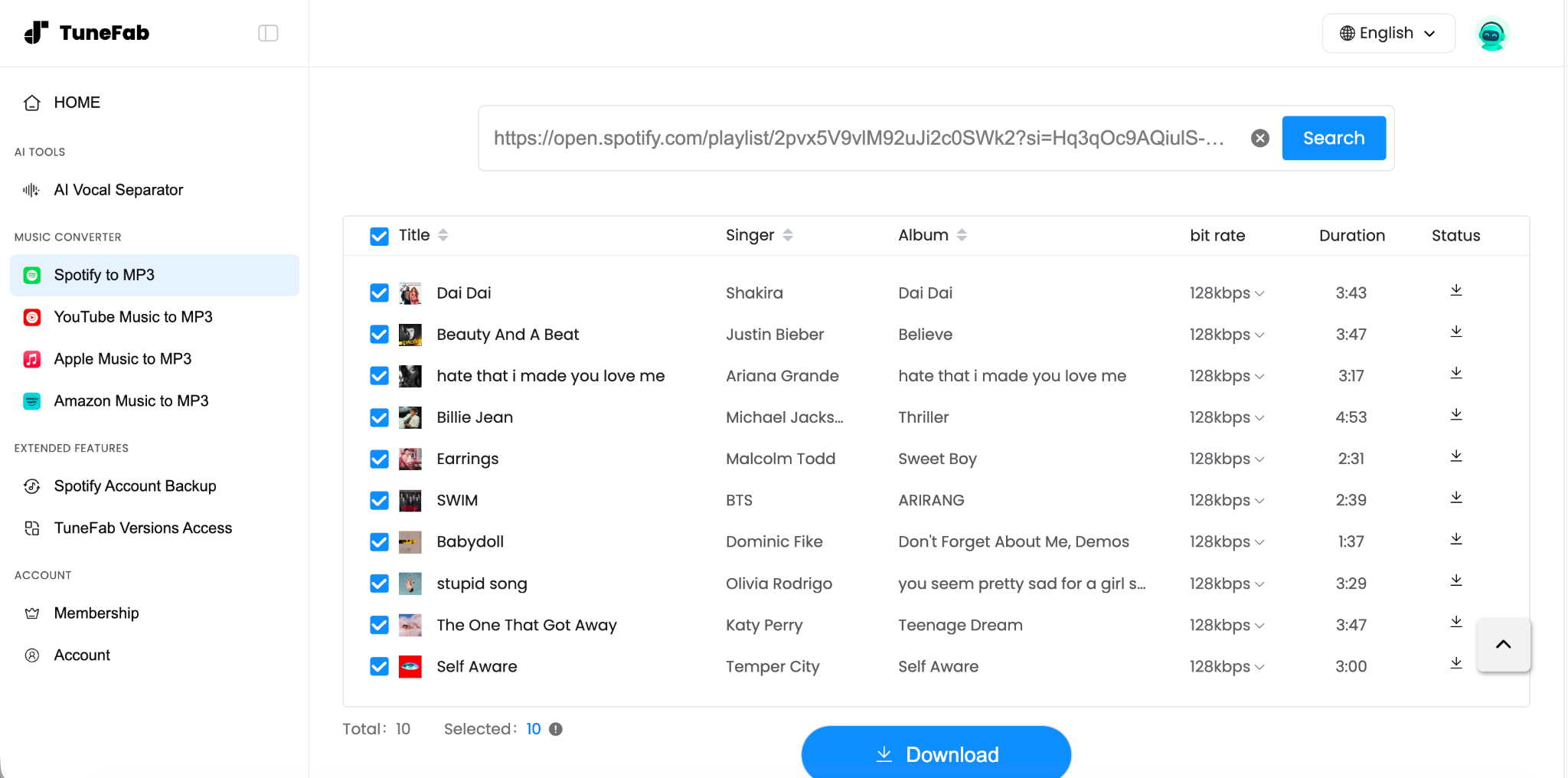
We also checked the downloaded files to see which ID3 metadata they retained and whether their bitrate matched the advertised output quality. Both free and paid downloads preserved the track title, artist, album name, release year, and album artwork; file properties also showed the duration and bitrate. The paid files we checked showed a bitrate of 320kbps, consistent with the advertised value.
Representative Download Times
| Test sample | Parsing and download time |
| 3:43 track | About 8 seconds |
| 8-minute track | About 20 seconds |
| 10-track playlist | 2 minutes 47 seconds |
| 50-track playlist | About 14 minutes |
Pricing (checked on October 7, 2026):
- 1-Month subscription: $15.95
- 1-Year subscription: $39.95
- Lifetime license: $59.95
Pros
- Completed all track and playlist tests.
- Paid-use files checked in our test were measured at 320kbps.
- No pop-up ads or unrelated redirects were observed during testing.
- Downloaded files retained track name, artist, album, album year, track duration, bitrate, and album artwork.
Cons
- Free use requires a Member Center login and was limited to two tracks at 128kbps.
- Playlist downloads and 320kbps output require paid access.
- Playlists are downloaded in batches of up to 10 tracks, so long playlists require repeated downloads.
#2. Spotify-downloader
Best for: Free track and playlist downloads when 128kbps is sufficient

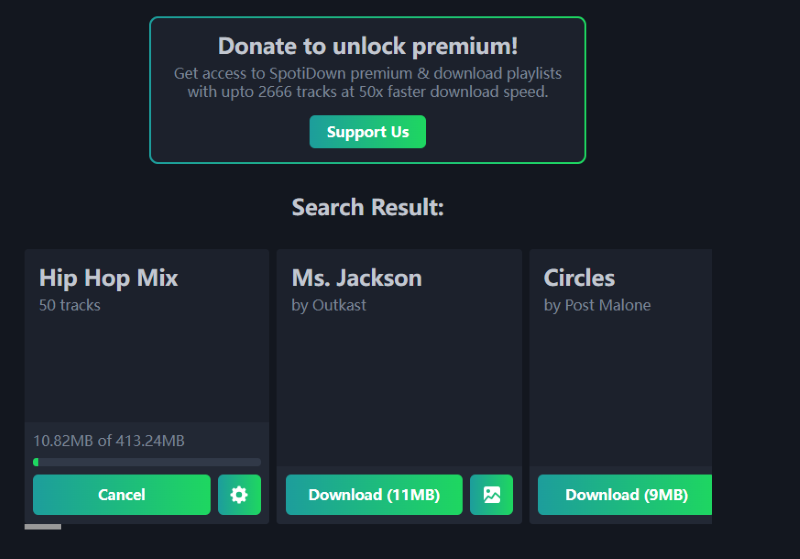
Spotify-downloader was a fully free option in our test. It was able to complete all track and playlist tests without requiring a paid upgrade. After pasting a Spotify link, you need to complete a Cloudflare verification before the tool can process a Spotify link. Once the link is parsed, the download button appears, but there are no settings for choosing the output bitrate. A donation prompt appeared after downloading, though it didn't prevent us from accessing the saved files.
We also checked the downloaded files in their file properties. The files we inspected showed bitrates of 128kbps or lower. While this value describes the encoding bitrate of the downloaded file and does not identify or verify the quality of the original audio source, it does not match the 320kbps bitrate displayed on the website. The downloaded files retained the track title, artist, album name, and album artwork; file properties also showed the duration and bitrate.
Representative Download Times
| Test sample | Parsing and download time |
| 3:43 track | About 8 seconds |
| 8-minute track | About 20 seconds |
| 10-track playlist | About 2 minutes 30 seconds |
| 50-track playlist | About 14 minutes 22 seconds |
Pros
- Completed every track and playlist test in the final sample.
- Download all playlist tracks in a single ZIP file without a paid upgrade.
Cons
- Cloudflare verification was required before processing links.
- No options to select the output format or bitrate.
- The bitrate shown in the downloaded files did not match the bitrate advertised on the website.
#3. SpotiSongDownloader
Best for: One or two free track downloads
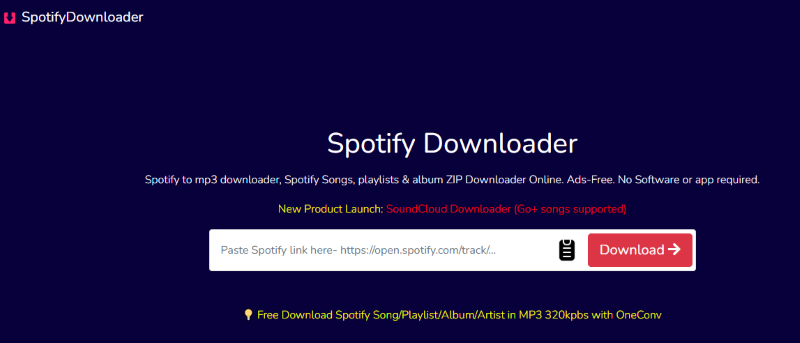
SpotiSongDownloader is a practical choice if you only need to download one or two Spotify tracks for free. Individual downloads worked consistently in our tests, and the files we checked showed a bitrate of 320kbps in their file properties.
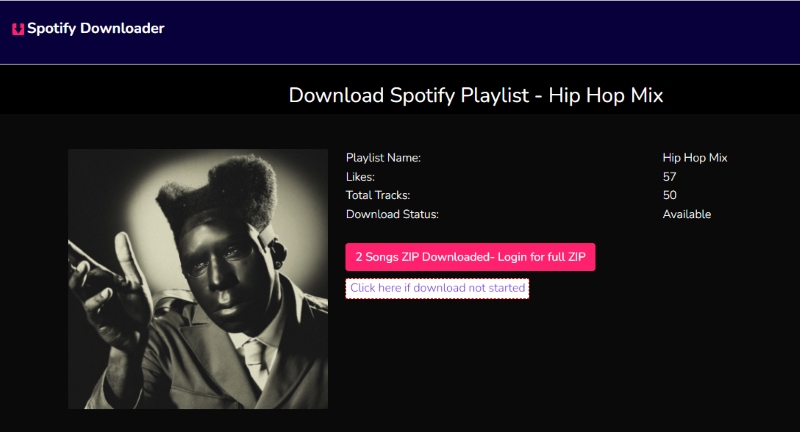
Playlist downloads were more limited. SpotiSongDownloader recognized both the 10-track and 50-track playlist links and displayed a ZIP download button plus individual links for each track. However, each downloaded ZIP contained only two songs. To save the remaining songs, users had to generate and download each track separately. The files we checked retained the track title, artist, album name, and album artwork; file properties also showed the duration and bitrate.
Representative Download Times
| Test sample | Download result | Representative time |
| 3:43 track | 1 track downloaded | About 8 seconds |
| 8-minute track | 1 track downloaded | About 20 seconds |
| 10-track playlist | 2 songs in ZIP | About 23 seconds |
| 50-track playlist | 2 songs in ZIP | About 30 seconds |
Pricing (checked in October 7, 2026):
- 1-Month subscription: $7.99
- 1-Year subscription: $15.99
- Lifetime license: $23.99
Pros
- Completed all 20 individual-track tests.
- Downloaded files checked in our test were measured at 320kbps.
- Downloaded files kept important ID3 information, including the artist, album name, track title, duration, bitrate, and album artwork.
Cons
- Cloudflare verification was required before processing links.
- Playlist ZIPs were limited to two songs and included an extra HTML file.
- Not suitable for free downloading complete playlists in one action.
#4. Spowload
Best for: Free 320kbps individual track downloads
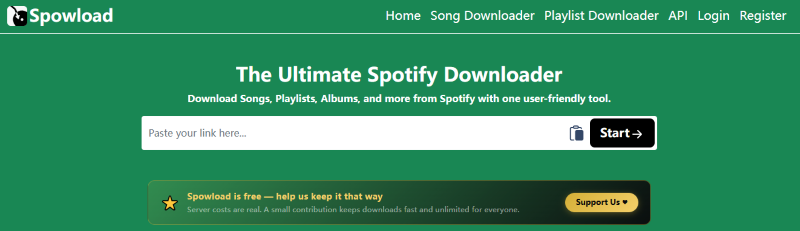
Spowload should be treated as a single-track converter. It is a usable option when you only need individual Spotify tracks.
In our tests, the page often took several seconds to respond after we pasted links and clicked "Start." For two tracks, it took nearly 20 seconds to display the matching song and generate a download button. We sometimes had to click the button twice before the page responded. Despite these delays, all the individual tracks we tested were downloaded successfully.
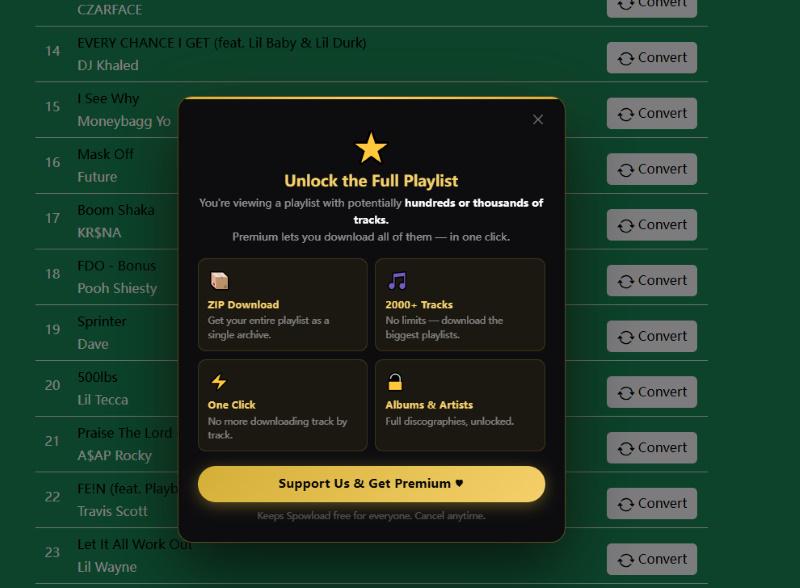
Spowload also recognized our playlist links, but playlist downloads required Premium access. Clicking the playlist download button under the free plan triggered an upgrade prompt. Under the free plan, users could only download tracks of the playlist individually by clicking each song's download button. The downloaded files we checked measured 320kbps. They also retained the most complete set of tags among the tools tested, including the track title, artist, album name, release year, genre, and track number; file properties also showed the duration and bitrate.
Representative Download Times
| Test sample | Representative time |
| 3:43 track | About 11 seconds |
| 8-minute track | About 30 seconds |
| 10-track playlist | / |
| 50-track playlist | / |
Pricing (checked in October 7, 2026):
- 1-Month subscription: $5
- 1-Year subscription: $25
- Lifetime license: $40
Pros
- All tested Spotify tracks were successfully downloaded.
- Downloaded files checked in our test measured 320kbps.
- The files retained a comprehensive set of ID3 information.
- The tool can parse playlist links and display individual download links for the tracks.
Cons
- Playlist downloads require Premium.
- Pop-ups interrupted the download flow.
- A download may require several clicks before the file starts saving.
#5. SpotifyMate
Best for: Downloading individual tracks or up to 5 tracks from a playlist
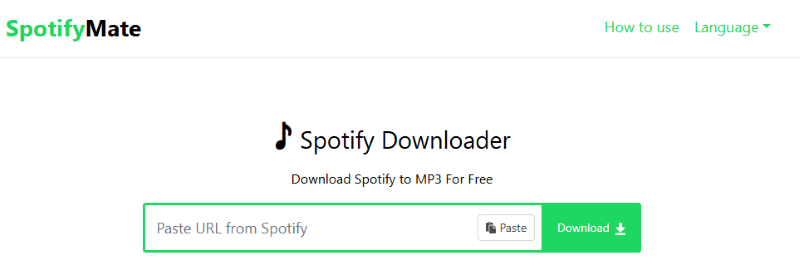
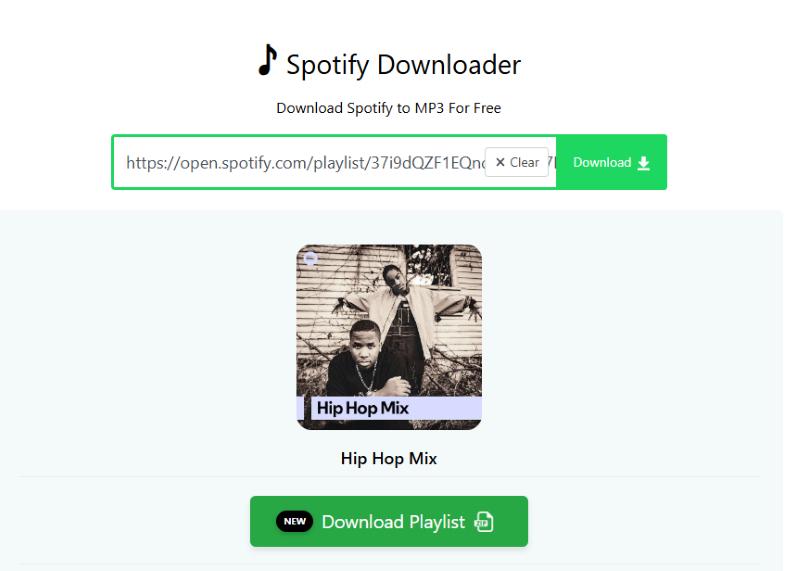
SpotifyMate successfully completed our individual-track download tests and allowed five tracks to be saved from each tested playlist. But full playlist downloading requires a Premium upgrade.
Before processing a playlist link, users must complete a Cloudflare verification. During our tests, clicking the download button consistently opened the service's homepage in a new tab or redirected us to unrelated pages. We had to retry several times before a download finally completed. These extra steps made the process frustrating.
We also checked the downloaded files after completing the individual-track tests. The files we inspected all showed a 320kbps bitrate in their file properties. The downloaded files retained the track title, artist, album name, and release year; file properties also showed the duration and bitrate.
Representative Download Times
| Test sample | Download result | Representative time |
| 3:43 track | Downloaded after an unrelated redirect | About 30 seconds |
| 8-minute track | Downloaded successfully | About 10 seconds |
| 10-track playlist | 5 tracks downloaded | About 30 seconds |
Pricing (checked in October 7, 2026):
- 1-Month subscription: $20
Pros
- Completed all 20 individual-track tests.
- Downloaded MP3 files checked in our test were measured at 320kbps.
- Allows up to five free downloads from a playlist.
Cons
- Multiple unrelated and promotional redirects appeared during the workflow.
- Full playlists require Premium.
- Some download-style buttons led to product pages rather than audio files.
- Users may need to close redirected pages and repeat the download action.
#6. SPOTISAVER
Best for: Free single-track downloads without observed ads
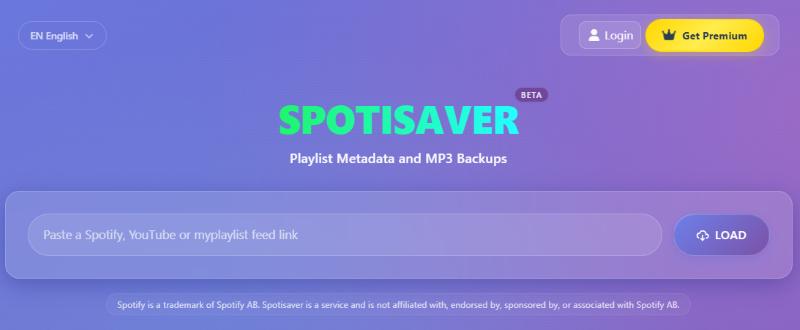
Spotisaver retrieves metadata from Spotify links and searches independent external audio sources for matching content. In our tests, individual-track downloads were smooth and fast. All the tracks we tested downloaded successfully, and we encountered no ads, unrelated redirects, or software installation requirements.
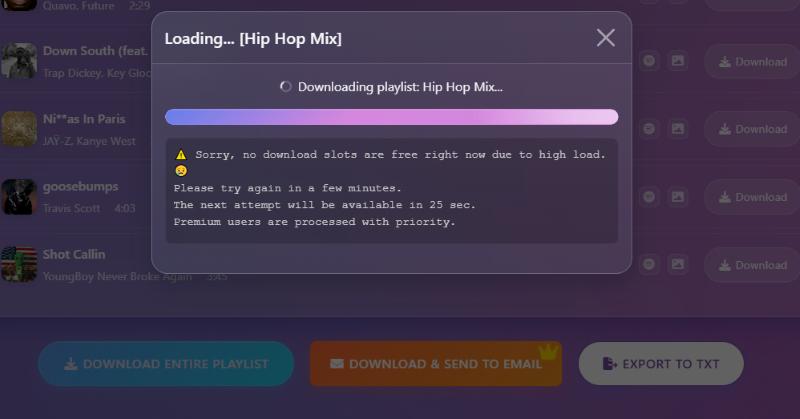
Spotisaver advertises MP3 output at up to 320kbps. The single-track files we checked showed a bitrate consistent with this claim. Playlist downloads were less reliable. Spotisaver recognized both playlist links and displayed a download button, but every attempt returned the message "No download slots are free." We tried several times but couldn't complete either playlist download. Retrying later may help if a slot becomes available, but we couldn't confirm that this would resolve the issue.
Representative Download Times
| Test sample | Download result | Representative time |
| 3:43 track | Downloaded successfully | About 20 seconds |
| 8-minute track | Download after a long time preparation | About 3 mins |
| 10-track playlist | No download slots are free | / |
| 50-track playlist | No download slots are free | / |
Pricing (checked in October 7, 2026):
- 1-Month subscription: $2.24
- 3-Month subscription: $5.60
Pros
- All tested single tracks downloaded quickly.
- The bitrate shown in the downloaded files was consistent with the advertised maximum.
- No ads or unrelated redirects during testing.
Cons
- Both tested playlists were recognized successfully, but neither could be downloaded.
3 Online Spotify Converters That Failed Our Test
Downloaderize
Failure point: Tokens required before saving the file
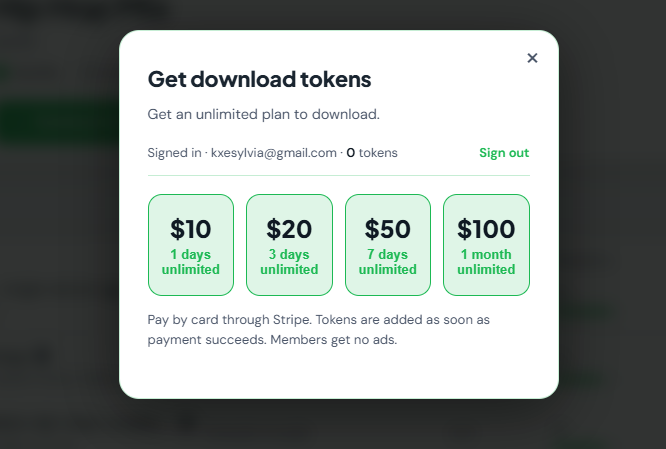
Downloaderize successfully parsed all of the Spotify links we tested, but none of the tested files could be downloaded for free. After signing in, users are required to purchase tokens before they can proceed with downloads, with available packages ranging from $10 to $100.
The download process was also accompanied by numerous pop-up ads. Given the combination of credit-based downloads and a heavy presence of pop-up ads, we do not recommend Downloaderize based on our testing.
SpotiDown.Online
Failure point: Tested Spotify links did not produce downloadable files
SpotiDown.Online failed every track and playlist test in the sample. Every Spotify link we tested returned the message "URL can not support." None of the submitted links produced a downloadable audio file, so we could not verify its claimed bitrate, metadata support, or download speed.
KeepVid
Failure point: No tested link produced a downloadable audio file
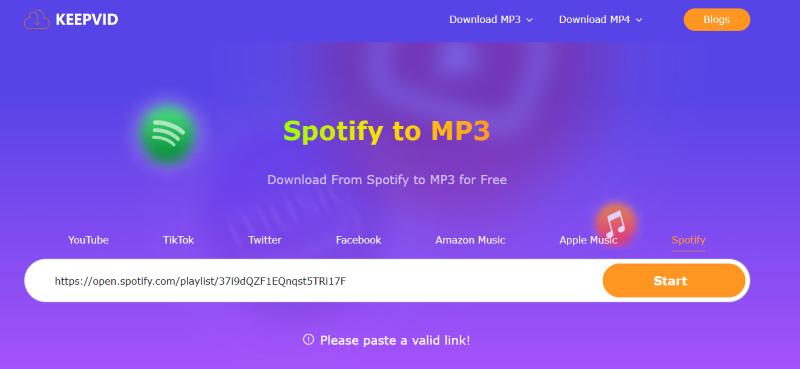
KeepVid did not complete any download in the final aligned sample. All track and playlist links failed before an audio file could be saved. After we pasted the link and clicked "Start" to begin the parsing process, an error message saying "Please paste a valid link!" appeared. We tried several times, but got the same result each time.
Spotify to MP3 Converter: Online vs. Desktop
Online tools are convenient because they do not require installation. However, that convenience comes with trade-offs.
| Feature | Online Spotify Converter | Desktop Spotify Converter |
| Installation | No installation | Requires installation |
| Ease of use | Convenient for quick downloads | Better for regular use |
| Playlist downloads | May have track limits or require individual downloads | Often offers more flexible playlist handling |
| Batch downloads | Often limited or unavailable | More commonly supported |
| Output control | Usually fixed MP3 and bitrate | Multiple formats and quality settings |
| Website interruptions | Verification, ads, or redirects often occur | Generally fewer |
| Metadata | Varies | Vary by software |
| Best for | Quick, occasional downloads | Frequent downloads and larger playlists |
When an Online Tool Is Still a Good Fit
An online Spotify Converter may be sufficient when:
- You only need one or two tracks.
- You do not want to install software.
- A fixed MP3 format or 128kbps output is acceptable.
- You are willing to complete verification or close occasional redirects.
- You don't need to download entire playlists in batches.
When a Desktop Converter Makes More Sense
A desktop tool may be more practical when you regularly handle playlists, need selectable output formats, or do not want to recheck whether an online site is still operating. Our comparison of the best Spotify music converters for Windows and Mac focuses specifically on desktop batch performance, output quality, pricing, and stability.
Publisher's Desktop Alternative: TuneFab Spotify Music Converter
The desktop program, TuneFab Spotify Music Converter, uses a built-in Spotify web player and is intended for users who need batch playlist selection, multiple output formats, and a workflow that does not depend on changing online downloader domains. See our full TuneFab Spotify Music Converter review for its tested speed, playlist performance, trial limits, and output options.
TuneFab Spotify Music Converter is developed by the same publisher as this article. It is presented as a commercial desktop alternative rather than an independently ranked online tool.
How to Choose the Right Online Spotify to MP3 Converter
Not all Spotify to MP3 converters offer the same experience. Before choosing one, consider the following factors:
Download Success Rate: Choose a converter that can consistently process Spotify links and complete downloads. A tool that recognizes a link but repeatedly fails to generate the audio file is of little practical use.
Playlist Support: If you need to download multiple songs, check whether the converter supports playlist downloads and how many tracks it can process at once. Some free tools limit ZIP downloads or require you to download tracks individually.
Actual Audio Bitrate: Don't rely only on the bitrate advertised on the website. Check the downloaded file's actual bitrate, as the exported MP3 may have a lower bitrate than the tool claims.
Free Limits: Check the restrictions on free downloads, such as the number of tracks, playlist downloads, batch size, or available audio quality. A tool that works well for occasional downloads may not be suitable for larger playlists.
Ads and Usability: Pay attention to pop-ups, redirects, verification steps, and repeated clicks. A straightforward download process can save considerable time, especially when processing multiple tracks.
Metadata Retention: If you want your downloaded music to stay organized, check whether the files retain basic metadata such as the track title, artist, album name, and album artwork.
FAQs About Spotify to MP3 Converters Online
Q1. Are Online Spotify to MP3 Converters Safe and Legal?
Safety and legality are two separate concerns. In our tests, some converters triggered verification pages, ads, or redirects to unrelated websites. However, we did not conduct a full malware, privacy, or security audit, so these observations alone cannot establish whether a tool is safe or unsafe.
Legality depends on applicable law, the rights you hold, and how the downloaded files are used. Personal or non-commercial use does not automatically make copying lawful. Spotify’s User Guidelines also prohibit ripping, copying, reproducing, or redistributing content unless expressly permitted by Spotify’s agreements or applicable law.
To reduce potential risks, avoid entering your Spotify password on third-party converter websites, installing unknown software prompted by pop-ups, or opening suspicious redirects. You should also avoid redistributing or commercially using downloaded files unless you have the necessary rights.
Q2. Can Online Spotify Converters Download Complete Playlists?
Some can, but playlist support doesn't always mean you can download an entire playlist at once. In our tests, we encountered full-playlist downloads, free track limits, batch-size restrictions, paid-only access, individual-track downloads, and failed playlist downloads.
Before choosing a tool, check the Playlist test and Free / paid access fields in our comparison table. For a broader comparison of Spotify playlist downloaders across desktop, online, and mobile platforms, see our guide to the best Spotify playlist downloaders.
Q3. Do Online Spotify Converters Really Provide 320kbps MP3 Files?
Not always. A website may advertise 320kbps output, but the downloaded file may have a lower bitrate. In our tests, Spotify-downloader advertised 320kbps, yet the files we checked showed bitrates of approximately 128kbps or lower.
Other tools successfully produced files with measured bitrates of 320kbps, as detailed in their individual reviews. However, a 320kbps bitrate does not guarantee audio quality equivalent to the original source. It only describes the encoding bitrate of the downloaded file, not the quality of the source audio.
Final Verdict
Online Spotify to MP3 converters can be convenient for downloading a few tracks without installing additional software, but their performance varies considerably.
Among the tools we tested, TuneFab Online Spotify Downloader stood out for its consistent download performance, clean interface, and support for 320kbps output with a paid plan. Spotify-downloader is another option to consider if you want a free tool for individual tracks and playlists, although the files we checked had much lower bitrates than advertised. SpotiSongDownloader worked well for individual tracks, but its ZIP downloads contained only two songs, making larger playlists inconvenient to download.
Ultimately, the right choice depends on how often you download music and whether you need full-playlist downloads, higher-bitrate output, or a completely free option. Before choosing a converter, check its actual download limits and verify the downloaded files rather than relying solely on advertised features. If you regularly download large playlists or need more consistent control over the process, a desktop converter may be worth considering.